The Workflow in One Paragraph
Step 1: Establish the Symptom
Before pointing an OTDR at the fiber, characterize the failure. Different symptoms need different investigation strategies.
- Total loss of signal: Almost always a fiber break or a disconnected/dirty connector. OTDR will show a clean break point.
- High BER, intermittent errors: Likely a marginal connector, a macrobend that worsens with temperature, or a stressed splice. Test both wavelengths and at multiple times of day.
- Loss out of budget but link works: Look for a high-loss event that crept in. OTDR shows the bad splice or contaminated connector.
- Recently degraded: Compare current OTDR trace to baseline acceptance trace. The difference reveals what changed.
For symptom-to-cause mapping, see also our fusion splice troubleshooting guide.
Step 2: Get to an Accessible End
OTDR is single-ended. You connect from one end of the fiber and the trace shows the entire link. Pick the end that is easiest to reach — typically the carrier head end, the splice closure, or the customer demarc. If the fault is closer to one end, testing from that end gives better resolution because the dead zone effects are smaller for nearby events.
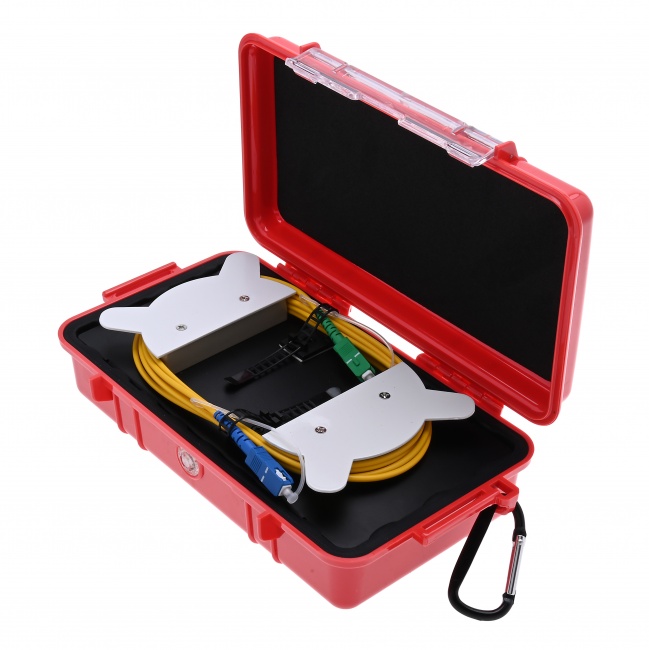
Bring a launch fiber. Without one, you cannot measure the first connector — and the first connector is statistically the most likely contamination point.
Step 3: Connect Cleanly
Inspect the OTDR's launch port, the launch fiber connectors, and the link's first connector with a WiFi fiber microscope. Clean any that show contamination using a 2.5mm cleaner for SC/ST or 1.25mm cleaner for LC. Re-inspect after cleaning.
This step costs 2 minutes and prevents 30 minutes of chasing phantom events caused by your own dirty connectors. Skip it at your peril.
Step 4: Configure for First Look
Set the OTDR for an exploratory trace.
- Wavelength: Start with the wavelength your network operates at. For SM, 1550nm reveals more (macrobends, contamination). For MM, 850nm matches modern VCSEL systems.
- Distance range: Roughly 1.5x your expected link length. If you do not know the length, start with the longest range and tighten down later.
- Pulse width: Medium (30-100 ns for SM, 30 ns for MM). Wide enough to reach the far end, narrow enough to resolve events.
- Averaging: 30-60 seconds. Long enough for clean event detection, short enough to iterate quickly.
- Refractive index: Match the fiber type and wavelength (see our SM vs MM settings guide).
Step 5: Read the Trace
Look for the obvious problem first.
Clean Break
A large reflection spike followed by an immediate drop to the noise floor. The OTDR reports the distance to the spike. That is your break location.
Crushed or Stressed Fiber (Mixed Reflection + Loss)
A reflection spike with a step-down loss but the trace continues past it. The fiber is partially intact but heavily damaged — common at fiber pinches in pedestals, at splice closure entries, or at junction boxes.
High-Loss Event
A step-down on the trace larger than expected for that point in the link (a splice or connector). Compare to your baseline trace. A splice that was 0.04 dB at acceptance and now reads 0.18 dB has a problem.
Macrobend
Step-down loss with no reflection spike, somewhere along the run that does not correspond to a known splice or connector. Test at both 1310 and 1550. If the loss is much worse at 1550, it is a macrobend. If equal at both, it is more likely a splice that has degraded.
Intermittent Fault
Sometimes the trace looks fine but the customer reports problems. Capture multiple traces over time and look for events that come and go. Bend-sensitive faults change with temperature. Marginal connectors change with vibration.
Step 6: Zoom and Verify
Once you spot the fault, switch to a narrower pulse width (5-30 ns) and a shorter distance range zoomed into the fault region. The narrow pulse gives better resolution and a more precise distance reading. Run the focused trace.
Read the distance to the fault as accurately as possible. The OTDR shows distance in meters or feet depending on display setting. Verify the refractive index is correct for the fiber type — a 0.1% IOR error is 1 meter of distance error per kilometer of link.
Step 7: Translate Distance to Physical Location
OTDR distance is fiber distance. Physical cable distance is different because of:
- Helix factor: Fibers inside loose-tube cables are stranded helically, adding 0.1-0.5% to optical length over physical length.
- Slack loops: Splice closures contain 1-3 meters of slack per fiber. As-built records should show closure locations and slack.
- Service loops: Cables often have service loops at intermediate points that add fiber length.
Use as-built drawings to translate OTDR distance into a physical location. If the trace shows the fault at 2,847 meters and the as-builts show splice closure 4 at 2,820 meters with 25 meters of slack, the fault is at or just past splice closure 4. For more on documentation, see our FTTH as-built documentation guide.
Common Field Fault Patterns
| Fault Pattern | Trace Signature | Common Causes | Fix |
|---|---|---|---|
| Clean break | Spike + drop to noise | Cable cut by digger, rodent, vehicle | Splice in repair section |
| Crushed fiber | Reflection + loss step, trace continues | Cable pinch, closure clamp, vehicle weight | Replace damaged section |
| Macrobend at 1550 | Loss step at 1550, smaller at 1310, no reflection | Slack loop too tight, kink at closure entry | Re-route cable, reform slack |
| Bad splice (high loss) | Step-down at known splice location, larger than baseline | Contamination at splice, electrode wear, fiber stress | Re-splice the fiber |
| Bad connector | Reflection + loss at known connector location | Contamination, damage, scratched endface | Clean and inspect; replace if needed |
| Intermittent | Event appears in some traces but not others | Marginal connector, temperature-sensitive bend | Re-terminate or re-route |
| Ghost reflection | Small spike at exactly 2x distance of strong real event | OTDR / connector reflection chain | Ignore; not a real event |
Special Cases
Live Fiber Testing
Active service fiber can be tested with a 1625nm OTDR (above the 1310/1550 service wavelengths). Confirm the OTDR has 1625 capability and that the optical power detected at the OTDR port does not exceed the receiver's rating. Some OTDRs include a Live Fiber Detect that warns before connection.
PON Splitter Networks
OTDR testing through a PON splitter is challenging. The splitter looks like a high-loss event (16 dB for 1:32, 19 dB for 1:64). Past the splitter, the OTDR sees the combined backscatter of all branch fibers, which produces a noisy unreadable trace beyond a few hundred meters. Test the feeder side and individual drops separately for clean traces.
Long-Haul Links
Links over 50 km need long pulse widths (300-1000 ns or longer) and extended averaging times (3-10 minutes). The OTDR's dynamic range becomes the limiting factor — a long-haul OTDR with 40+ dB dynamic range is needed to see all the way through.
Short Patch Cords
OTDR testing of short patch cords (under 50m) is dead-zone-dominated. Use a long launch fiber (500m or longer) and the shortest pulse width (5 ns). Even then, individual events may be unresolvable. For short links, use a power meter for loss measurement and a microscope for connector inspection.
Field Troubleshooting Toolkit
Fiber Ranger OTDR
Field-grade OTDR with multiple pulse widths and dual-mode SM/MM support.
Optical Power Meter LC
End-to-end loss verification before and after repair to confirm the fix.
VFL Pen 30km
Visual fault locator for short-distance fault localization where OTDR dead zones are limiting. Long-distance variant (30km).
VFL Pen 5km
Visual fault locator for FTTH and shorter links — quick visual confirmation of break point.
Fiber Identifier
Confirm which fiber in a closure carries traffic before disconnecting.
WiFi Fiber Microscope
Inspect every connector before testing. Pass/fail per IEC 61300-3-35.
LC Cleaner
Click-to-clean LC connectors. Stock spares in the troubleshooting kit.
Fiber Splicing Kit
Required for repair splicing once you have located the fault.
Frequently Asked Questions
How accurate is OTDR fault location?
+/- 1 meter on links under 25 km with correct refractive index. +/- 5-10 meters on longer links. Cross-reference with as-built records to identify the physical splice closure or pole.
What pulse width should I use to find a break?
Medium pulse (50-100 ns) for first look, then narrow pulse (5-30 ns) zoomed into the fault region for precise distance.
How do I tell a break from a bend?
Break: large reflection spike followed by drop to noise floor, same loss at all wavelengths. Macrobend: step-down loss with no reflection, much worse at 1550nm than 1310nm.
Can I test live fiber?
Yes with a 1625nm OTDR. The 1625 wavelength is above the 1310/1550 service wavelengths and does not disrupt traffic. Without 1625, take the link out of service.
What is a ghost reflection?
A false event at exactly 2x the distance of a real strong reflection, caused by light bouncing between the OTDR port and a connector. Recognize it by the 2x distance pattern and ignore it.