Acceptance hinges on documentation. A perfectly built FTTH plant with sloppy paperwork will sit unaccepted for months while a mediocre build with clean documentation moves to operational status in days. This guide breaks down the seven categories of as-built artifacts every modern FTTH project requires, the file formats and accuracy standards customers expect, and the field workflow that lets a single crew capture everything in real time.
What an As-Built Package Actually Contains
The term "as-built" covers a much larger artifact set than most contractors realize. A complete package for a typical 200-home FTTH overbuild includes thousands of files across seven categories.
| Artifact Category | Format | Captured By | Acceptance Weight |
|---|---|---|---|
| OTDR traces (bidirectional) | SOR + PDF | Splice tech | Critical |
| End-to-end loss reports | CSV + PDF | Acceptance tech | Critical |
| Splice matrix | XLSX or DB export | Splice tech | Critical |
| GIS route data | SHP, GeoJSON, KMZ | Survey crew | Critical |
| Closure and pedestal photos | JPEG with EXIF GPS | Field crew | High |
| Connector inspection reports | JPEG + PDF summary | Splice tech | High |
| Hardware inventory | CSV or DB export | Foreman | Medium |
| Redlined construction drawings | PDF or DWG | Foreman | Medium |
Critical artifacts trigger immediate rejection if missing or non-compliant. High-weight artifacts trigger a punch list. Medium-weight artifacts can usually be cured during commissioning.
OTDR Traces: The Foundation of Acceptance
The OTDR trace is the single most important artifact in the as-built package. It establishes baseline performance for every fiber, creates a fingerprint for future fault location, and proves that the plant meets the contracted loss budget.
Trace requirements
- Bidirectional: Every fiber traced from both ends, then averaged. One-way traces are not acceptable for acceptance under any major operator's standards.
- Two wavelengths minimum: 1310 nm and 1550 nm for all fibers. 1625 nm or 1650 nm is required for any fiber that may carry in-service maintenance later.
- Native SOR format: The Bellcore SOR (GR-196) format is the only universally accepted native format. Vendor-specific formats are rejected by most operators.
- Launch and tail cables: Dead-zone management requires a launch cable on the near end and a tail cable on the far end. A 1km launch cable spool is the standard for FTTH distribution.
- PDF report: Generated from the SOR using the OTDR vendor's reporting software, including event table, splice losses, and overall link loss.
Common rejection causes
- Single-direction traces (must be bidirectional)
- Missing 1550 nm or 1625 nm wavelength
- Pulse width too long, masking near-end events
- No launch cable, leaving the first connector inside the dead zone
- Splice events flagged "ghost" without investigation
- Trace files in vendor-proprietary format instead of SOR
A modern handheld OTDR like the Fiber Ranger handheld OTDR exports SOR natively and includes built-in PDF generation, eliminating the most common acceptance issues at the source.
End-to-End Loss Reports
OTDR traces show the loss profile fiber by fiber. End-to-end insertion loss measurements with a stabilized light source and power meter establish the actual link loss the optics will see in production.
Test method
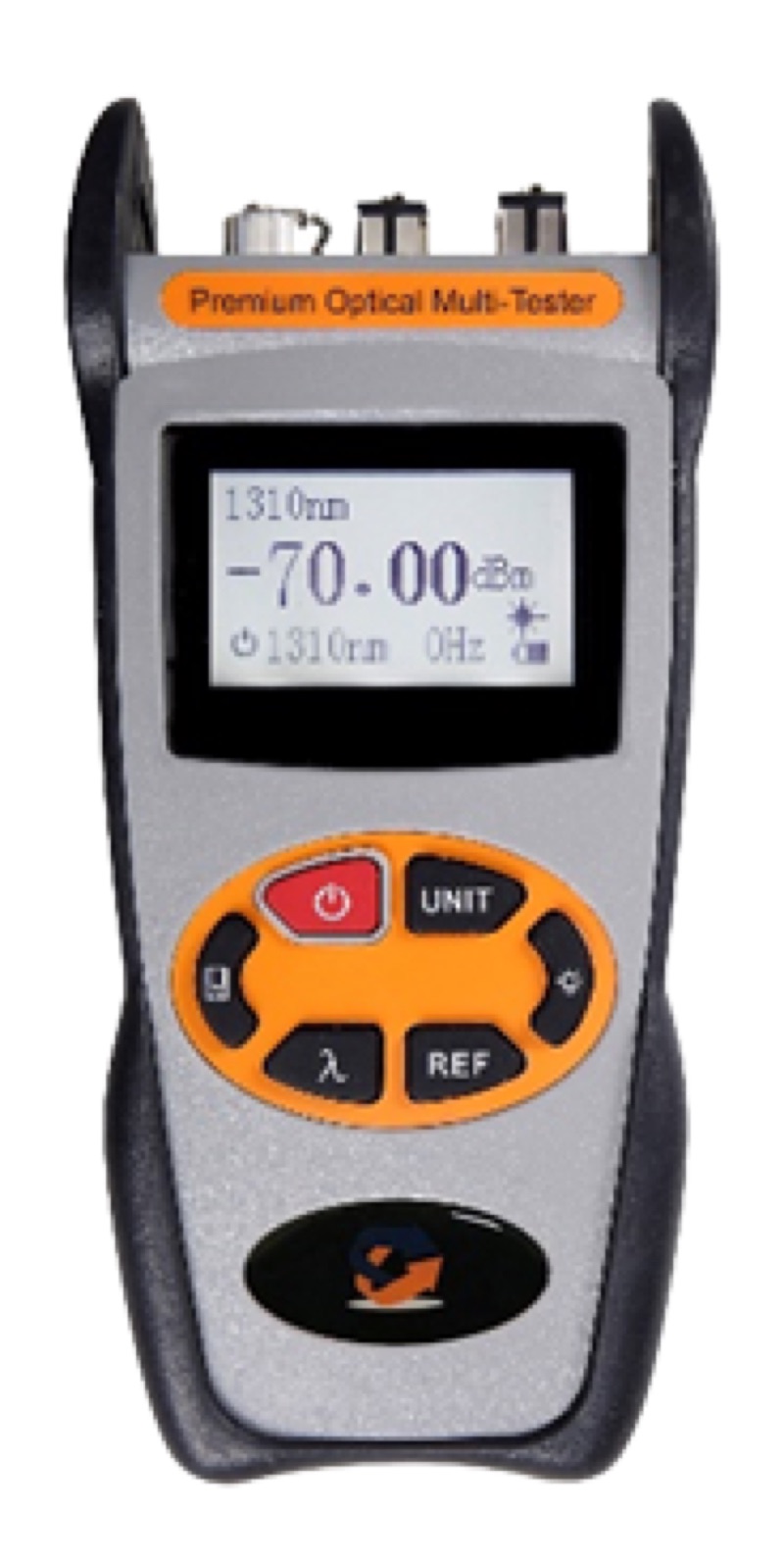
One technician sets a calibrated light source at the OLT side at 1310 nm and 1550 nm sequentially. A second technician at the ONT side reads each fiber with a tri-wavelength PON power meter. Readings are recorded in a CSV with fiber ID, wavelength, source dBm, received dBm, and calculated insertion loss.
Pass criteria
Pass criteria come from the design loss budget, not from a generic threshold. Typical FTTH builds target less than 0.4 dB per kilometer of fiber attenuation, less than 0.05 dB per fusion splice, and less than 0.3 dB per connector pair. The end-to-end IL must be below the design budget with a margin of at least 1 dB to account for aging, repairs, and connector wear.
The acceptance report typically includes a pass/fail column, a margin column, and a summary statistic (mean loss, worst-case loss, percentage failing).
Splice Matrices and Connectivity Records
The splice matrix is the operational backbone of the as-built package. It maps every fiber from origin (OLT port) to destination (drop terminal port) and documents every splice point along the way.
What the matrix records
- Origin: OLT chassis, slot, port
- Patch panel position at central office
- Backbone cable: cable ID, fiber number, color code
- Each splice closure: closure ID, splice tray, splice position
- Distribution cable: cable ID, fiber number
- Drop terminal: terminal ID, port number
- Customer drop: drop cable ID, length
- Premise: address, ONT serial number
Modern operators expect the matrix as a database export (often a CSV that imports into the operator's outside plant management system) rather than a flat spreadsheet. The exact schema varies by operator, but the data points above are universal.
GIS Route Data and Survey Standards
Geographic data has moved from "nice to have" to mandatory for any modern FTTH build. Operators rely on GIS to dispatch repair crews, plan future expansions, and respond to dig-up locate requests. Inaccurate GIS becomes the operator's problem the moment a damaged fiber needs to be located.
Accuracy requirements
- Hand-holes, pedestals, splice closures: Sub-meter accuracy (within 3 ft) using RTK GPS or DGPS.
- Pole IDs and address points: Within 1 ft, captured against the utility's existing pole inventory.
- Aerial routes: Pole-to-pole midpoints can be interpolated from aerial imagery.
- Buried routes: Captured continuously with RTK during plowing, or surveyed after restoration.
Deliverable formats
The standard deliverables are ESRI Shapefile (SHP) and GeoJSON for technical use, plus KMZ for stakeholder review. Operators with internal GIS systems often request a direct database upload through their GIS team.
Each layer (cables, closures, hand-holes, pedestals, drops) is delivered as a separate file with documented attribute schema. Coordinates are typically in the local State Plane projection or in WGS84 lat/long.
Photos and Connector Inspection Records
Photo evidence is the cheapest insurance against future disputes. Every closure, every pedestal, every splice tray, and every drop terminal should be photographed at the time of construction with EXIF GPS coordinates embedded.
Photo coverage
- Closure exterior with mounting context
- Closure interior with splice trays in place
- Each splice tray laid out with cable IDs visible
- Pedestal and ground rod (if present)
- Drop terminal interior with port labels
- Pole hardware including grounding
Connector inspection
Every connector mated during the build should be inspected with a 200x/400x inspection microscope against IEC 61300-3-35 zones. Pass/fail images are saved alongside the splice matrix entry. Failed connectors are cleaned and re-inspected, with both images preserved.
Inspection failures account for roughly 40 percent of all FTTH acceptance punch list items, and most are caused by skipping inspection at the time of construction. Building inspection into the workflow eliminates rework downstream.
Hardware Inventory and Redlined Drawings
The hardware inventory is a serialized record of every closure, pedestal, splitter, terminal, and ONT installed. It feeds the operator's asset management system and warranty tracking.
Redlined drawings are the original construction prints marked up in red ink (or its digital equivalent) to show where the actual build deviated from the design. Common redlines include splice closure relocations, route detours around obstacles, and drop terminal substitutions.
Both artifacts are typically delivered as PDFs, with the inventory also as CSV or DB export. Drawings native to AutoCAD or MicroStation may be requested in DWG or DGN format for some municipal customers.
Field Workflow: Capture Once, Deliver Once
The most efficient FTTH crews integrate documentation into the construction workflow rather than treating it as a separate phase. The pattern that works:
- Splice tech opens closure: Photographs exterior with GPS-enabled camera or phone.
- During splicing: OTDR traces both wavelengths bidirectionally as splices are made. Records splice losses in tablet-based splice matrix in real time.
- After splicing: Inspects every connector with microscope, captures pass/fail images.
- Closure closeout: Photographs interior with all trays visible. Updates GIS waypoint with sub-meter GPS.
- Acceptance crew: Performs end-to-end IL test with light source and PM, results auto-uploaded to project management system.
- Foreman daily: Reviews documentation completeness for the day's work, flags missing items before the crew leaves the area.
This workflow delivers a complete, audit-ready as-built package within 48 hours of construction completion, eliminating the typical 2-to-6-week documentation backlog.
Frequently Asked Questions
What goes in an FTTH as-built package?
Bidirectional OTDR traces in SOR plus PDF, end-to-end loss report, splice matrix, GIS route data, closure photos with GPS, connector inspection reports, hardware inventory, and redlined drawings.
What OTDR file format do customers require?
Bellcore SOR (Telcordia GR-196) is the universal native format. Most customers also require PDF reports generated from the SOR.
How accurate does GIS data need to be?
Sub-meter (within 3 ft) for hand-holes, closures, and pedestals using RTK or DGPS. Pole IDs and address points to the foot. Strand routes can be interpolated from aerial imagery at lower precision.
Who owns the documentation after handover?
The customer owns it outright after acceptance. The contractor retains copies for warranty and dispute resolution but cannot reuse the data for other projects.
How long should documentation be retained?
Operators retain for the full plant life (25 to 40 years). Contractors retain through warranty plus 7 years for legal and tax compliance.
Bottom Line
As-built documentation is half the FTTH project, even though it is rarely budgeted that way. Building a real-time documentation workflow into the construction process produces clean acceptance packages, faster closeout, and warranty protection that will pay back many times over the first time a customer disputes a fault. The required gear is straightforward: a tri-wavelength OTDR with SOR export, a PON power meter, an inspection microscope, and a GPS-enabled tablet or phone. Get those four tools right, and the documentation problem largely solves itself.
Building an FTTH plant?
Outfit your crew with our complete FTTH Test Toolkit, follow the FTTH Installation Checklist, and reference the Power Budget Calculation guide. All ShopFiberOptic gear ships next-business-day from our Tennessee warehouse.
Shop fiber test equipment →