What Causes OTDR Dead Zones
An OTDR launches optical pulses at very high peak power -- often hundreds of milliwatts. When one of these pulses encounters a strong reflective event (a connector, mechanical splice, or fiber break), a fraction of the energy reflects back and hits the OTDR's photodetector. The reflection arrives orders of magnitude stronger than normal backscatter.
The strong reflection saturates the photodetector and its electronics. While saturated, the receiver cannot accurately measure additional light. After the reflection passes, the receiver takes finite time to recover -- nanoseconds to microseconds depending on the design and the magnitude of the saturation. During this recovery time, the trace is unreliable. This is the dead zone.
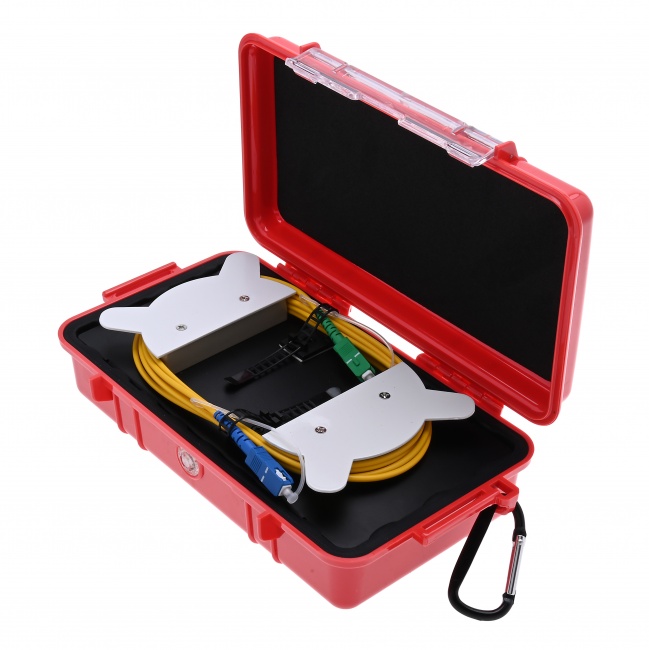
The OTDR's internal output connector creates the same effect at the start of every trace. The pulse traveling through that connector reflects back into the receiver, saturating it and creating a dead zone at the very start of the trace. This is why launch fibers are necessary -- to push the first connector of the link under test out of this initial dead zone.
Event Dead Zone vs Attenuation Dead Zone
OTDR specs list two different dead zone numbers. They are different things and serve different purposes.
Event Dead Zone
The event dead zone is the minimum distance between two reflective events for the OTDR to detect them as separate events. Inside the event dead zone, two events merge into a single broader event on the trace. The OTDR sees one reflection where there are actually two.
Event dead zone is measured at a specific reference reflectance (typically -45 dB) and pulse width. A typical FTTH OTDR specifies event dead zone in the 0.5-2 meter range at the shortest pulse width. This means two connectors closer than 0.5-2 meters cannot be resolved as separate events.
Attenuation Dead Zone
The attenuation dead zone is the minimum distance after a reflective event for the OTDR to make accurate loss measurements. After this distance, the trace returns to clean backscatter and loss can be measured normally. Inside the attenuation dead zone, the trace is recovering from saturation and any loss measurement is unreliable.
Attenuation dead zone is typically 4-5x larger than event dead zone. A 1-meter event dead zone usually corresponds to a 5-meter attenuation dead zone. This matters because two events might be detectable as separate (outside the event dead zone) but still inside the attenuation dead zone (where their loss measurements are biased).
Why the Distinction Matters
Many techs confuse the two and assume the trace is fully usable as soon as the OTDR detects events. It is not. The trace is fully usable only after the attenuation dead zone has expired. For a 100 ns pulse, that may be 50-100 meters. Any "event" detected inside that window has unreliable loss.
Dead Zone Reference by Pulse Width
Approximate dead zone values for typical FTTH and metro OTDRs. Specific values vary by instrument; check your spec sheet.
| Pulse Width | Event Dead Zone | Attenuation Dead Zone | Min Spacing for Loss Measurement |
|---|---|---|---|
| 5 ns | ~1 m | ~3-5 m | ~5 m |
| 10 ns | ~2 m | ~5-8 m | ~8 m |
| 30 ns | ~6 m | ~15-20 m | ~20 m |
| 100 ns | ~20 m | ~50-80 m | ~80 m |
| 300 ns | ~60 m | ~150-250 m | ~250 m |
| 1000 ns | ~200 m | ~500-1000 m | ~1000 m |
| 3000 ns | ~600 m | ~1500-3000 m | ~3000 m |
| 10000 ns | ~2000 m | ~5000-10000 m | ~10000 m |
For more on choosing pulse widths, see OTDR pulse width explained.
Dead Zone Effects in Real-World Testing
Patch Panel Connectors
Patch panels often have connectors only inches apart. The internal patch cord might be 1 meter; the connectors at each end of that cord are 1 meter apart. With a 100 ns pulse and ~20 meter event dead zone, those two connectors merge into one apparent event. With a 5 ns pulse and 1 meter event dead zone, they are barely resolvable.
For patch panel verification, use the shortest available pulse width (5-10 ns) and place the OTDR as close as practical to the panel. Even then, very tight panel spacing can defeat any pulse width.
FTTH Splitter Cabinets
A 1:32 splitter has 32 output ports in a small cabinet, each with a connector. Some of these connectors may be within a meter of each other. Short pulse widths are required to distinguish them. The general rule for FTTH: 5-30 ns pulse width gives the resolution needed to characterize splitter outputs individually.
Closely Spaced Splices
Fusion splices in a splice closure may be inches apart. Fortunately fusion splices are non-reflective so they do not create dead zones the way connectors do. Two fusion splices 30 cm apart are easily resolvable even at moderate pulse widths because there is no saturation to recover from.
Mechanical splices are different -- they reflect, so they create dead zones. A mechanical splice 5 meters before a fusion splice may hide the fusion splice in its attenuation dead zone, with an apparent fusion splice loss that is not the real loss.
The First Connector Problem
The OTDR's own output connector reflects, creating an initial dead zone. Without a launch fiber, the first connector of the link under test falls inside this dead zone and its loss is invisible. The fix is a launch fiber long enough to displace the first link connector beyond the dead zone. See OTDR launch and receive cables for sizing.
The Last Connector Problem
The far-end connector of the link reflects strongly, creating a dead zone after it. The OTDR cannot measure events after the link end without fiber to backscatter from. A receive cable on the far end provides that fiber and lets the OTDR measure the last link connector's loss.
Strategies to Work Around Dead Zones
- Use launch and receive fibers to displace the OTDR's internal dead zone and to extend the trace beyond the last link connector.
- Choose the shortest pulse width that still reaches the far end. The shorter the pulse, the smaller the dead zones at every event in the trace, not just at the start.
- Test with multiple pulse widths. Acquire a short-pulse trace for near-end resolution and a long-pulse trace for far-end reach. Combine the results in your test report.
- Use APC connectors when possible. APC reflectance is -60 dB or better vs UPC at -45 to -55 dB. Lower reflectance means smaller dead zones because saturation is less severe. APC vs UPC covers this.
- Clean every reflective connector. A contaminated connector reflects more strongly than a clean one, creating a larger dead zone. Inspect with a fiber inspection scope and clean with a one-click cleaner.
- Test bidirectionally. Events hidden in one direction's dead zone may be measurable from the other direction, especially for events near the start or end of the link.
Reading OTDR Dead Zone Specifications
OTDR datasheets list dead zone numbers, but the test conditions matter. A spec like "Event dead zone: 0.5 m" looks impressive until you realize it is measured at the shortest pulse width with a -55 dB reflectance reference. At your typical operational pulse width and reflectance, dead zones are larger.
Things to look for in OTDR dead zone specs:
- Pulse width used for the spec. Usually the shortest pulse width. Real-world pulse widths give larger dead zones.
- Reflectance used for the spec. Usually -55 dB (good APC). Real connectors with -45 dB UPC reflectance give larger dead zones.
- Both event and attenuation dead zones listed. Some manufacturers only list event dead zone because it is the smaller, better-looking number. Always verify the attenuation dead zone too.
- Dead zone vs reach trade-off. An OTDR with very short dead zones at short pulse widths typically has limited reach. An OTDR with long reach often has correspondingly longer dead zones.
Dead Zones in Trace Analysis Software
Modern OTDR analysis software automatically flags events that fall inside attenuation dead zones, indicating the loss measurement is unreliable. Understanding these flags is essential for interpreting acceptance test reports.
Flagged Events
An event flagged as inside a dead zone has its loss value displayed but with a warning indicator. The OTDR cannot fully trust the loss number because the trace is recovering from saturation at that point. For acceptance documentation, flagged events typically require re-testing with a shorter pulse width or with the OTDR repositioned to push the event out of the dead zone.
Multi-Pulse Analysis
The standard solution to flagged events is to acquire a second trace at a shorter pulse width that gives smaller dead zones. The combined analysis uses event values from whichever pulse width measures them most accurately: short pulse for events in tight clusters, long pulse for events at long distances.
Splitter Dead Zone Cascade
FTTH splitters create a particular dead zone challenge. A 1:32 splitter has 17 dB of loss, dropping the post-splitter backscatter level dramatically. The OTDR has reduced dynamic range after the splitter and may struggle to detect events that would be obvious before it. This is why splitter-side OTDR testing usually requires longer pulse widths and longer averaging times than the feeder fiber.
How Reflectance Affects Dead Zone Size
Dead zones grow with reflectance. The stronger the reflection, the more saturated the photodetector, and the longer the recovery time. This is why APC connectors give smaller dead zones than UPC connectors at the same pulse width.
UPC Reflectance: -45 to -55 dB
UPC connectors create moderate reflections that produce typical dead zones for the OTDR's pulse width. Most OTDR dead zone specs are quoted at UPC-equivalent reflectance.
APC Reflectance: -60 dB or better
APC connectors reflect much less light, producing smaller dead zones than UPC at the same pulse width. For FTTH and PON networks where APC is standard throughout, dead zones are smaller than the OTDR specification might suggest. See SC/APC vs UPC connectors.
Damaged or Contaminated Connectors
Dirty or damaged connectors reflect more strongly than clean ones, creating larger dead zones. This is one of many reasons why clean connectors matter -- contamination affects not just the connector's loss but every event behind it through dead zone expansion.
Fiber Breaks
A fiber break at a clean perpendicular cleave reflects up to -14 dB, far stronger than any connector. The dead zone after a break can be hundreds of meters even at short pulse widths. This usually does not matter because there is no fiber after the break to test, but if you are trying to characterize events near a break (e.g., before the break point), be aware that the break's dead zone may obscure events upstream of it.
OTDRs and Test Equipment
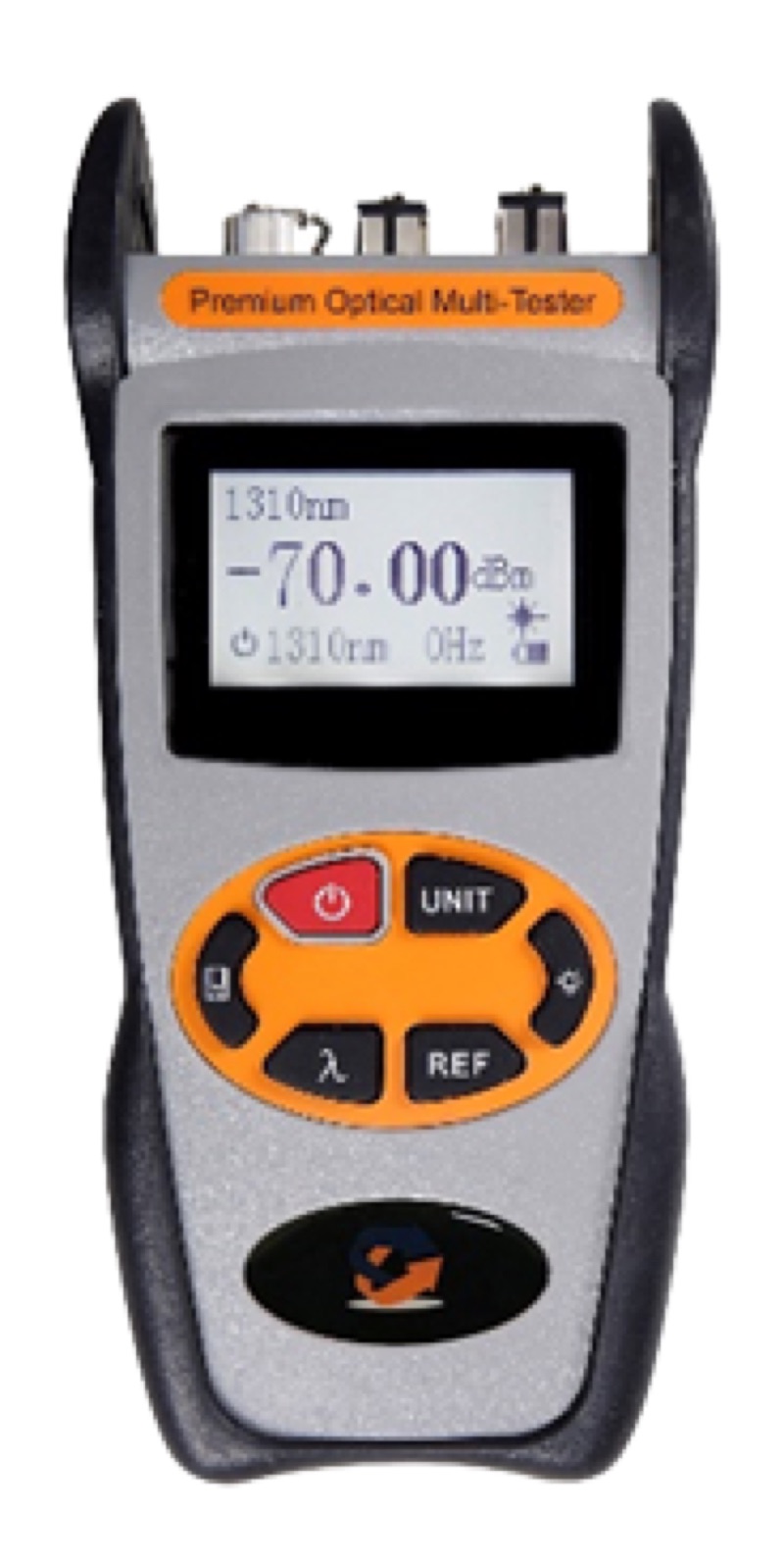
The Fiber Ranger OTDR is designed for FTTH work where short dead zones at short pulse widths matter most. Pair with a 100-300 meter launch fiber to displace the initial dead zone, the WiFi Fiber Microscope for connector inspection, and a VFL for fast continuity verification.
For a complete OTDR test workflow that minimizes dead zone problems, see how to launch an OTDR test step by step.
Dead Zones in PON Splitter Networks
Passive optical network architectures concentrate connectors and splitters into very short physical distances at the splitter cabinet. The dead zone behavior of an OTDR matters more here than almost anywhere else in fiber design.
Splitter Loss Hides Downstream Detail
A 1:32 splitter introduces about 17 dB of loss in a single point. The OTDR sees this as a large step down in backscatter. The attenuation dead zone after the splitter can extend tens of meters before the trace stabilizes enough to characterize the next event accurately. Plan splitter cabinet layouts so the first splice or connector after the splitter is at least 30-50 meters out.
Multiple Splitters in Cascade
Cascaded splitter designs (e.g., 1:4 then 1:8) create overlapping dead zones if the splitter stages are physically close. The first splitter's attenuation dead zone may obscure events near the second splitter. Either separate the splitters with enough fiber length to clear each dead zone, or accept that close-spaced cascaded splitters cannot be fully characterized with OTDR.
The Drop Side
From the splitter outputs to the customer drop, dead zones matter for diagnosing the patch panel, drop cable, and customer-side connector. The Fiber Ranger and similar mini OTDRs have short enough dead zones to handle this section well.
Dead Zones in Real Trace Analysis
The numbers on the spec sheet are starting points, not absolutes. Real-world dead zones in your traces depend on the actual reflectance of each event, the noise floor of your specific OTDR, and the operator settings.
Reading Dead Zones on a Trace
Look at any reflective event on an OTDR trace. The reflective spike rises sharply, then falls back toward the backscatter level. The horizontal distance from the start of the spike to where the trace returns to the backscatter line is the event dead zone. The horizontal distance from the start of the spike to where the trace stabilizes enough to support a reliable loss measurement is the attenuation dead zone.
When Two Events Merge
If two events are closer than the event dead zone, they show up as a single reflective spike instead of two distinct events. The OTDR may report only one event, or it may report a single event with the combined loss of both. Either way, you cannot characterize them individually. The fix is shorter pulse width or physical separation.
When an Event Sits in Another Event's Attenuation Dead Zone
This is more subtle. The two events are far enough apart to be detected as separate events, but the second event sits within the attenuation dead zone of the first. The first event's loss may still be reported correctly, but the second event's loss measurement is corrupted because the trace had not yet stabilized when the second event began.
Symptoms include implausible loss values (negative loss, very large loss) for the second event. The fix is again shorter pulse width to shrink the attenuation dead zone, or physical separation if the link design permits it.
Comparing OTDRs by Dead Zone Spec
Dead zone is one of the headline numbers in OTDR datasheets, but the specs are not directly comparable across manufacturers without reading the fine print.
Test Conditions Vary
Manufacturer A may quote a 0.6m event dead zone at -45 dB reflectance. Manufacturer B may quote a 0.5m event dead zone at -55 dB reflectance. The B unit looks better, but the test conditions differ. Apples-to-apples comparison requires matching reflectance values.
Pulse Width Assumed
Dead zone specs always assume the shortest available pulse width. If the OTDR's shortest pulse is 5 ns, the spec is at 5 ns. If you actually use 30 ns in the field for noise reasons, your real dead zones will be 6x larger than spec.
What to Compare
For FTTH work, focus on event dead zone at the shortest pulse width and at -55 dB reflectance (typical APC). For long-haul, focus on attenuation dead zone at the longest pulse widths because that determines how close events near the far end of the link can be characterized.
Reflectance Drives Dead Zone Length
The dead zone spec on a datasheet assumes a specific reflectance value, typically -45 dB or -55 dB. If your event is more reflective than the test condition, the dead zone is longer. If your event is less reflective, the dead zone is shorter.
Why APC Helps
APC connectors have reflectance around -65 dB versus -55 dB for UPC. The lower reflectance produces a smaller spike and a shorter dead zone. APC connectors are also less likely to merge with adjacent events. For FTTH where connector density is high (drop closure, customer premises), APC is the standard precisely because dead zones stay manageable.
Mechanical Splices and Connectors
Mechanical splices and end-of-life connectors with degraded ferrules can produce reflectance worse than -40 dB, with correspondingly longer dead zones. If a single event has an unusually long dead zone, that is itself diagnostic information -- inspect the connector or replace the splice.
Fiber Breaks and Cleaved Ends
A fiber break at a clean cleave reflects around -14 dB, the worst case. Dead zones from a break can extend hundreds of meters at long pulse widths. If you are trying to characterize a fiber up to a known break point, use the shortest pulse width that reaches the break and accept that the last several meters before the break may not be testable.
OTDR Test Equipment
OTDRs, launch fibers, inspection scopes, and cleaners for fiber link characterization that works around the limits of OTDR dead zones.