What a Power Budget Actually Is
The optical power budget for an FTTH link is the difference between the OLT transmitter's minimum launch power and the ONT receiver's minimum sensitivity. Every passive component between those two endpoints subtracts from the budget. If the sum of all losses exceeds the budget, the receiver will not see enough light to decode the signal and the link will fail.
Three numbers matter: the standard's class budget (e.g., 28 dB for GPON Class B+), the calculated loss for your specific path, and the measured loss after installation. The calculated loss should always be a few dB below the budget so there is operating margin for aging, temperature drift, and future maintenance work.
The PON Class Budget Numbers
FTTH equipment is sold by class. The class determines how much loss the optics can tolerate. Match the budget to the class of OLT and ONT pair you are deploying.
| Standard | Class | Downstream Budget | Upstream Budget | Typical Use |
|---|---|---|---|---|
| GPON | B+ | 28 dB | 28 dB | Standard FTTH |
| GPON | C+ | 32 dB | 32 dB | Long-reach / dense-split |
| GPON | C++ | 35 dB | 35 dB | Extended reach |
| XGS-PON | N1 | 29 dB | 29 dB | 10G symmetric FTTH |
| XGS-PON | N2 | 31 dB | 31 dB | 10G high-loss paths |
| XGS-PON | E1 | 33 dB | 33 dB | 10G extended reach |
| 25G-PON | E1 | 29 dB | 29 dB | 25G symmetric FTTH |
Most North American residential FTTH builds today are GPON B+ or XGS-PON N1. New 25G-PON deployments are landing on E1. If you are unsure which class your OLT supports, the SFP module datasheet will list it explicitly.
Loss Components You Have to Add Up
An FTTH link from OLT to ONT touches five loss-generating components. Memorize the worst-case value for each one.
Fiber Attenuation
Single-mode fiber attenuates the signal at a rate that depends on wavelength. For G.652.D fiber (the standard SM fiber used in FTTH):
- 1310nm (GPON downstream / upstream): 0.35 dB/km worst case, 0.30 dB/km typical
- 1490nm (GPON downstream): 0.30 dB/km
- 1550nm (RF video overlay, OTDR): 0.25 dB/km worst case, 0.20 dB/km typical
- 1577nm (XGS-PON downstream): 0.25 dB/km
- 1270nm (XGS-PON upstream): 0.40 dB/km
Always calculate at the worst-case wavelength for the system. For GPON, 1310nm upstream is typically the limiting wavelength.
Splitter Insertion Loss
PLC splitters add a fixed loss based on split ratio. These values are the worst-case insertion loss including the inherent split loss, internal connector loss, and excess loss.
| Split Ratio | Theoretical Min Loss | Typical Worst Case |
|---|---|---|
| 1:2 | 3.0 dB | 4.0 dB |
| 1:4 | 6.0 dB | 7.5 dB |
| 1:8 | 9.0 dB | 10.5 dB |
| 1:16 | 12.0 dB | 14.0 dB |
| 1:32 | 15.0 dB | 17.5 dB |
| 1:64 | 18.0 dB | 21.0 dB |
| 1:128 | 21.0 dB | 24.5 dB |
Splice Loss
Use 0.1 dB per fusion splice for budget calculations even though a good splicer typically achieves 0.02-0.05 dB. The 0.1 dB number gives you margin and matches most carrier acceptance specs. Mechanical splices, if used, should be budgeted at 0.5 dB. Check our fusion splicer comparison guide for hardware that consistently hits low-loss numbers.
Connector Loss
Use 0.3 dB per mated pair for SC/APC or LC/UPC connectors. A field-installable mechanical connector should be budgeted at 0.5 dB. Hot fusion (splice-on) connectors at 0.3 dB. Count every mated pair in the path: the OLT pigtail, every patch panel, the ODF in the splitter cabinet, the wall outlet, and the ONT pigtail.
Optical Margin
Budget 1-3 dB of optical margin for aging, repairs, and temperature variation. Most carriers require at least 3 dB of margin between the calculated loss and the class budget.
Worked Example 1: Suburban GPON Drop
A typical residential GPON installation: OLT in a central office, 1:32 splitter in a street cabinet, 200m of fiber to the home, four connectors and two fusion splices.
| Component | Quantity | Loss Each | Total Loss |
|---|---|---|---|
| Fiber (OLT to splitter) | 3 km | 0.35 dB/km | 1.05 dB |
| 1:32 splitter | 1 | 17.5 dB | 17.5 dB |
| Fiber (splitter to home) | 0.2 km | 0.35 dB/km | 0.07 dB |
| Fusion splices | 2 | 0.1 dB | 0.2 dB |
| SC/APC connector pairs | 4 | 0.3 dB | 1.2 dB |
| Total calculated loss | 20.02 dB | ||
| GPON B+ budget | 28.0 dB | ||
| Margin | 7.98 dB |
Result: comfortable margin. The link will work and has room for a future repair splice or aging.
Worked Example 2: Long-Reach Rural FTTH
A rural deployment with 18 km of feeder fiber and a 1:64 splitter to maximize subscribers per OLT port.
| Component | Quantity | Loss Each | Total Loss |
|---|---|---|---|
| Fiber (feeder) | 18 km | 0.35 dB/km | 6.3 dB |
| 1:64 splitter | 1 | 21.0 dB | 21.0 dB |
| Distribution fiber | 1.5 km | 0.35 dB/km | 0.53 dB |
| Drop fiber | 0.1 km | 0.35 dB/km | 0.04 dB |
| Fusion splices | 5 | 0.1 dB | 0.5 dB |
| SC/APC connectors | 4 | 0.3 dB | 1.2 dB |
| Total calculated loss | 29.57 dB | ||
| GPON B+ budget | 28.0 dB | ||
| Margin | -1.57 dB |
Result: this link does NOT fit a B+ budget. Options: drop to a 1:32 split (loses 32 subscribers per port, but saves 3.5 dB), upgrade to GPON Class C+ optics for a 32 dB budget, or shorten the feeder run. Most operators choose Class C+ for any rural build.
Worked Example 3: XGS-PON Apartment Deployment
MDU build with two splitter stages: a 1:8 in the basement, then a 1:8 per floor.
| Component | Quantity | Loss Each | Total Loss |
|---|---|---|---|
| Feeder fiber to building | 2 km | 0.4 dB/km (1270nm) | 0.8 dB |
| 1:8 splitter (basement) | 1 | 10.5 dB | 10.5 dB |
| Riser fiber | 0.05 km | 0.4 dB/km | 0.02 dB |
| 1:8 splitter (floor) | 1 | 10.5 dB | 10.5 dB |
| Drop to apartment | 0.03 km | 0.4 dB/km | 0.012 dB |
| Fusion splices | 4 | 0.1 dB | 0.4 dB |
| SC/APC connectors | 5 | 0.3 dB | 1.5 dB |
| Total calculated loss | 23.73 dB | ||
| XGS-PON N1 budget | 29.0 dB | ||
| Margin | 5.27 dB |
Result: the cascaded 1:8/1:8 split (effectively 1:64) fits comfortably inside the XGS-PON N1 budget because the building has very short fiber runs. This architecture is cheaper to install than a single 1:64 splitter because it allows shorter drop runs and easier troubleshooting per floor.
Tools You Need to Verify the Budget
Calculation predicts the budget. Measurement proves it. Every FTTH installation should be verified at the ONT before sign-off.
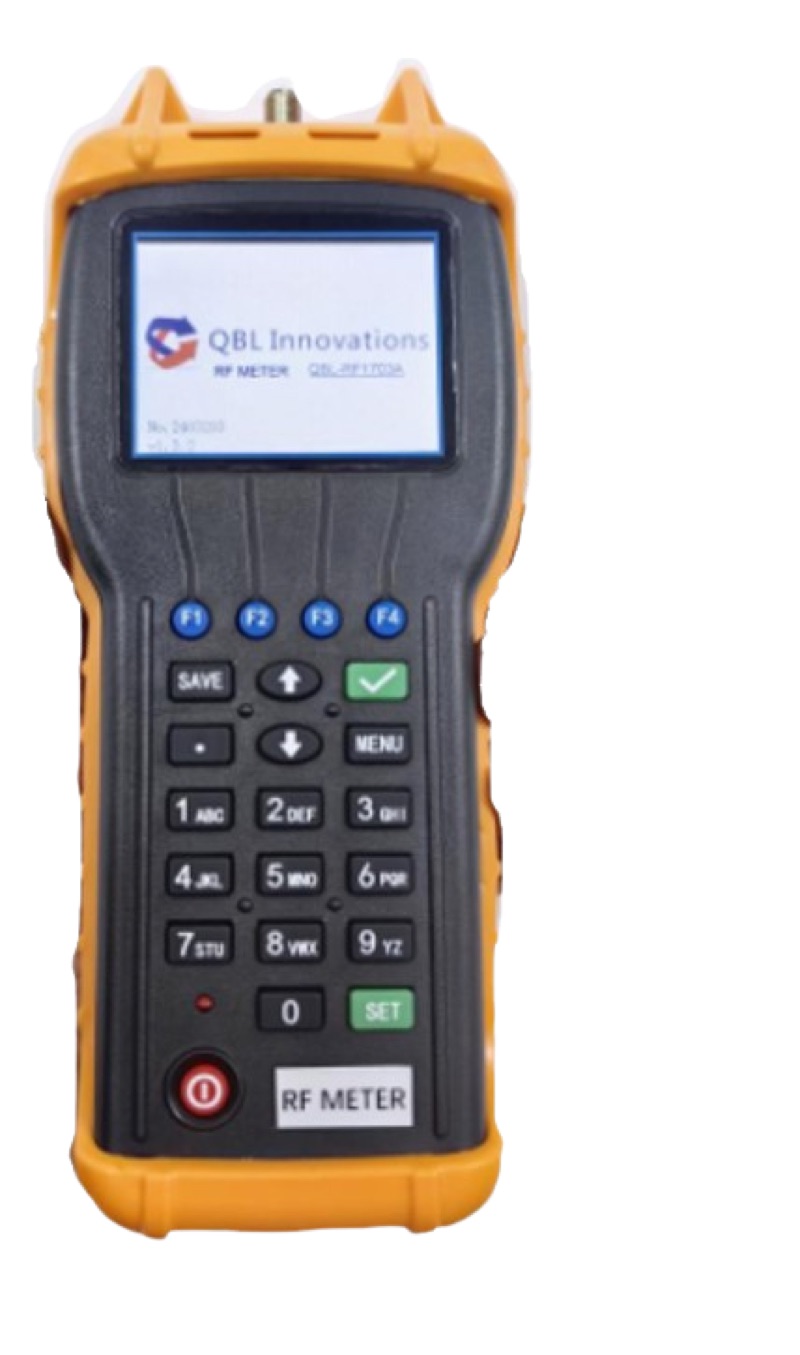
XGS/GPON Power Meter
$484.99 — Reads 1310, 1490, and 1577nm simultaneously through a live PON. Confirms the actual ONT receive power at each wavelength.
25G PON Power Meter
Newest model — Adds the 1342nm 25G-PON downstream wavelength while still covering GPON and XGS-PON.
Fiber Ranger Mini OTDR
$579.99 — Characterizes splice loss, connector loss, and total fiber attenuation. Required for documentation on most carrier networks.
Optical Power Meter (LC)
$339.99 — General-purpose meter for inspecting feeder fiber, patch jumpers, and pre-splitter loss with a separate light source.
Common Budget Mistakes
Forgetting the Splitter Connectors
Most splitter cassettes have SC/APC connectors on both the input and output legs. That is two connector pairs per splitter, not one. On a typical drop with a 1:32 splitter you have at least four connector pairs in the path before counting patch panels.
Using Typical Loss Instead of Worst Case
A new fusion splicer hits 0.02 dB on a clean splice. The next splice on a dirty cleaver hits 0.15 dB. If you budgeted at 0.05 dB you have no margin. Budget at 0.1 dB so the field tech does not have to redo every splice that comes in at the typical real-world value.
Ignoring Wavelength Differences
Splitters and connectors have flat loss across the FTTH band. Fiber does not. The 1310nm GPON upstream loses 40% more per kilometer than the 1490nm downstream. Long links can fail upstream while passing downstream.
Forgetting Aging
OLT and ONT optics lose 1-3 dB over their lifetime. Splices in outside-plant enclosures can degrade if water intrusion damages the splice protector. Always leave at least 3 dB of margin so the network keeps working after five years.
Frequently Asked Questions
Can I use a regular optical power meter to measure PON power?
No. A standard power meter measures the total optical power across all wavelengths. PON downstream contains 1490nm and (for XGS-PON) 1577nm, plus possibly 1550nm video overlay. To measure the actual ONT receive level on a live PON you need a wavelength-selective PON power meter.
What is a "loss budget" vs "power budget"?
The terms are usually used interchangeably. Strictly, the power budget is the difference between transmitter power and receiver sensitivity (a fixed number for a given class), and the loss budget is the actual loss the network can absorb (the same number minus required operating margin).
How do I know my OLT class?
Check the SFP transceiver datasheet. The class is part of the standard nomenclature (e.g., "GPON B+ SFP" or "XGS-PON N1 SFP+"). The OLT vendor's documentation will also state the class.
Should I include a margin for the ONT cord?
Yes. The ONT pigtail and patch jumper are part of the path. Use a known-good SM patch cord and inspect the connector with a microscope before plugging it in.
The Bottom Line
FTTH power budget is straightforward arithmetic: add up every loss in the path, compare to the class budget, leave 3 dB of margin. The only way to get it wrong is to forget components or use overly optimistic loss values. When in doubt, calculate worst case and measure with a PON-specific power meter at handoff.
For more on the specific test equipment that confirms your budget calculations, see our GPON vs XGS-PON power meter guide and the full FTTH installation tool list.