The Quick Answer
The Standards Stack
Data center fiber certification sits at the intersection of several standards. Each one defines a different layer of the requirement.
TIA-942 (Telecommunications Infrastructure Standard for Data Centers)
TIA-942 is the umbrella standard for data center infrastructure in North America. It defines the topology of the data center cabling system, including main distribution areas (MDA), horizontal distribution areas (HDA), zone distribution areas (ZDA), and equipment distribution areas (EDA). It also assigns Rated 1 through Rated 4 redundancy classifications. TIA-942 references TIA-568 for the actual cable component and test specifications.
TIA-568.3-D (Optical Fiber Cabling and Components)
TIA-568.3-D is the active document for fiber components, performance, and testing. It defines acceptable fiber types (OM3, OM4, OM5, OS2), connector specifications, encircled-flux launch requirements, and the field test procedures for both Tier 1 and Tier 2 certification.
ISO/IEC 11801-5
ISO/IEC 11801-5 is the international equivalent for data center cabling. It harmonizes with TIA-942 on most points but uses different cabling class designations (OF-300, OF-500, OF-2000, etc.) tied to maximum supported channel lengths.
IEEE 802.3
IEEE 802.3 is where the actual link loss budgets live. Each Ethernet variant (100GBASE-SR4, 400GBASE-DR4, etc.) specifies a maximum channel loss the cable plant must meet. The cabling standards do not override IEEE -- they require the cable plant to support whatever IEEE application is intended.
ANSI/BICSI 002
BICSI 002 is the data center design and implementation best-practice document. It does not replace TIA or ISO but adds operational guidance: aisle layouts, pathway design, fire stopping, and labeling conventions. Most enterprise data center owners reference BICSI 002 in their RFPs alongside TIA-942.
Tier 1 vs Tier 2 Certification
TIA-568.3-D defines two levels of fiber certification. They are complementary, not alternatives.
Tier 1 (Basic Certification)
Tier 1 measures end-to-end insertion loss using an optical loss test set (OLTS). The OLTS pair consists of a calibrated light source on one end and a power meter on the other. The technician records the link length, fiber polarity, and insertion loss at the relevant test wavelengths (typically 850 nm and 1300 nm for multimode; 1310 nm and 1550 nm for single-mode).
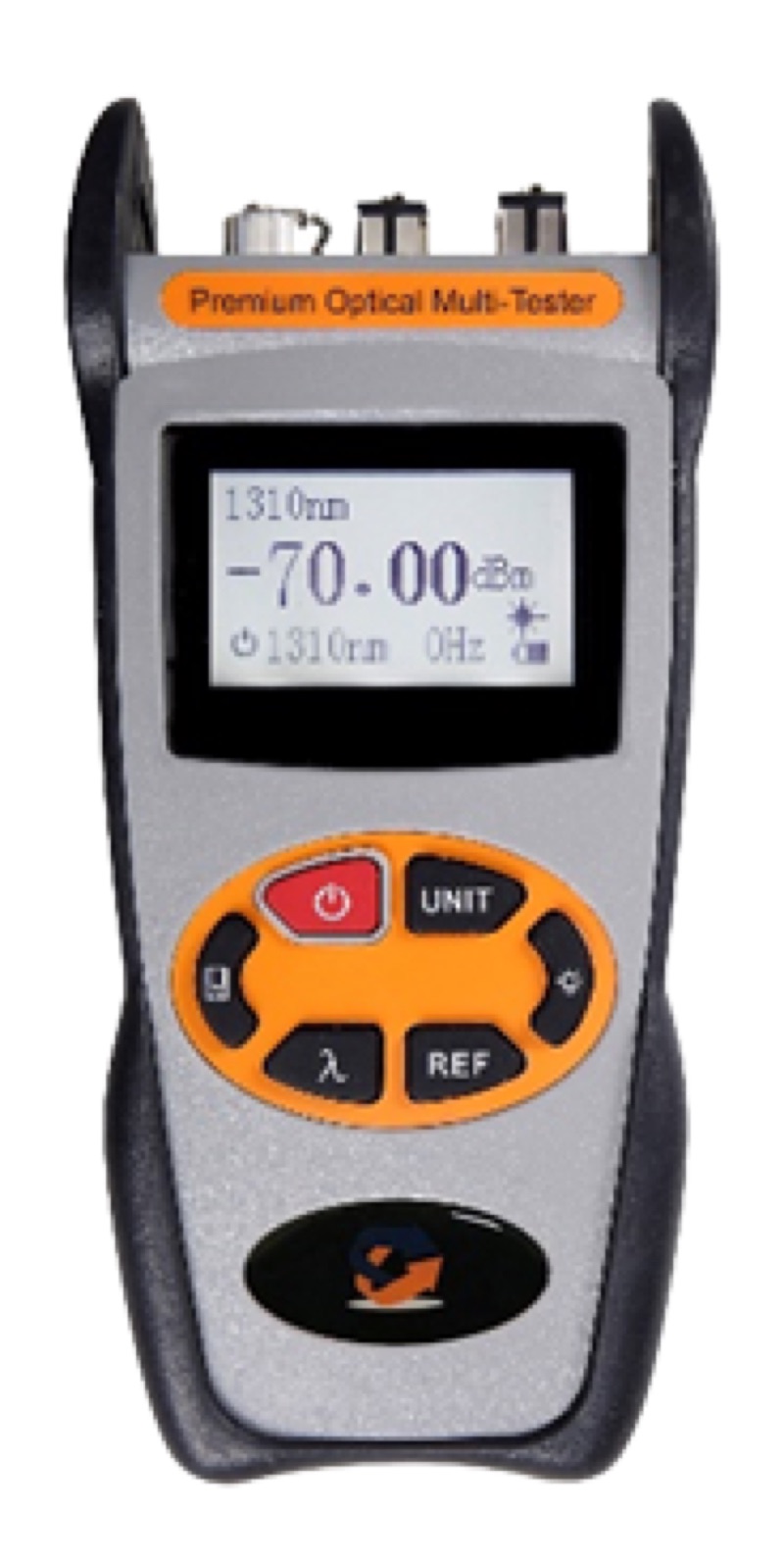
For multimode certification, the launch cord must produce an encircled-flux compliant launch condition. For an LC-terminated link, an Optical Power Meter LC with EF-qualified jumpers is the standard pairing.
Tier 2 (Extended Certification)
Tier 2 adds an OTDR trace for every fiber. The OTDR uses backscatter and reflection analysis to map the link end-to-end, identifying every connector, splice, macrobend, and break with its individual loss and reflectance. A handheld Fiber Ranger OTDR handles short data center links; longer links between buildings benefit from a longer-range unit.
Tier 2 is technically optional in TIA-568, but every serious data center owner requires it. Without OTDR traces, you cannot prove individual events meet specifications, you cannot diagnose future failures by comparison to baseline, and you cannot accept a marginal link with confidence.
Application Loss Budgets
The link loss budget depends on the IEEE 802.3 application the cabling must support. The cable plant must measure below the application budget at the relevant wavelength.
| Application | Fiber | Wavelength | Max Channel Loss | Max Distance |
|---|---|---|---|---|
| 10GBASE-SR | OM3 / OM4 | 850 nm | 2.6 dB / 2.9 dB | 300 m / 400 m |
| 10GBASE-LR | OS2 | 1310 nm | 6.2 dB | 10 km |
| 40GBASE-SR4 | OM3 / OM4 | 850 nm | 1.9 dB | 100 m / 150 m |
| 40GBASE-LR4 | OS2 | 1310 nm CWDM | 6.7 dB | 10 km |
| 100GBASE-SR4 | OM4 | 850 nm | 1.9 dB | 100 m |
| 100GBASE-LR4 | OS2 | 1310 nm CWDM | 6.3 dB | 10 km |
| 400GBASE-SR8 | OM4 | 850 nm | 1.9 dB | 100 m |
| 400GBASE-DR4 | OS2 | 1310 nm | 3.0 dB | 500 m |
Note the trend: as line rates increase, the loss budgets shrink. 100GBASE-SR4 has the same 1.9 dB budget as 40GBASE-SR4, but the receiver is more sensitive to dispersion and modal effects. For 400G short-reach, every connector counts. A four-connector channel that passes 10G easily can fail 400G certification.
Per-Component Loss Allowances
To budget a link, sum the expected loss of each component. Use the higher of the application budget or the cabling standard limit, whichever applies.
| Component | Multimode (850 nm) | Single-Mode (1310 nm) |
|---|---|---|
| Fiber attenuation | 3.5 dB/km | 0.4 dB/km |
| UPC connector pair | 0.50 dB max | 0.50 dB max |
| APC connector pair | n/a | 0.50 dB max |
| Fusion splice | 0.30 dB max | 0.30 dB max |
| Mechanical splice | 0.30 dB max | 0.30 dB max |
| MPO connector pair | 0.75 dB max | 0.75 dB max |
These are TIA maximums for individual components. Most field installations achieve significantly better numbers. A typical fusion splice with a quality core-alignment splicer measures 0.02 to 0.05 dB. A clean and inspected LC connector pair typically measures 0.10 to 0.25 dB. The maximums exist so that a link still passes certification even if every component is at the worst end of spec.
The Certification Test Procedure
Step 1: Inspect Every Endface
Before any measurement, inspect the endface of every connector with a fiber microscope. Contamination is the number one cause of failed certifications and the easiest fault to fix. Use a WiFi Fiber Microscope with the appropriate inspection tip for your connector type. For LC connectors, the LC/APC Male Inspection Tip handles patch cord ends, and the LC/APC Female Inspection Tip reaches into bulkhead adapters. Any contamination found should be cleaned and reinspected before proceeding. See our fiber end face zones guide for the IEC 61300-3-35 grading criteria.
Step 2: Set Reference
Connect the OLTS reference cord and zero the meter. TIA-568.3-D supports one-jumper, two-jumper, and three-jumper reference methods. The one-jumper method is most common for permanent link testing because it includes both terminating connectors in the measured loss.
Step 3: Measure Insertion Loss Bidirectionally
Connect the link under test and record the loss. Reverse the source and meter and repeat. The certified result is the average of the two directions. TIA-568 requires bidirectional testing.
Step 4: Run OTDR Traces
Configure the OTDR with appropriate pulse width (short pulse for short links inside the data center, longer pulse for inter-building runs), wavelength (850 nm and 1300 nm for MM; 1310 nm and 1550 nm for SM), and end-of-fiber detection threshold. Capture traces in both directions on every fiber.
Step 5: Document and Archive
Generate a certification report for every fiber with: location identifier, fiber type, link length, polarity, insertion loss bidirectional, OTDR trace files, pass/fail summary, technician name, date, and equipment serial numbers. Archive the report files. Most data center owners require the raw test files (typically .sor for OTDR) so they can re-analyze with their own tools years later.
Common Causes of Failed Certifications
- Dirty connectors. A single particle of dust or oil on a UPC endface can add 1 dB or more of loss. Always inspect, clean, and reinspect.
- Mismatched APC/UPC mating. Plugging a UPC connector into an APC bulkhead causes a large reflection and damages both endfaces. See SC/APC vs UPC connectors for what to watch for.
- Wrong polarity. An MPO trunk wired with the wrong polarity method (A vs B vs C) means the fiber goes to the wrong port at the far end, even though loss may pass.
- Mode conditioner missing. Multimode certification without an EF-compliant launch produces inconsistent loss measurements that may pass on one meter and fail on another.
- Macrobends. Tight bends in fiber routing cause wavelength-dependent loss. They show up clearly on OTDR traces as gradual slopes rather than sharp events.
- Single-direction testing. Bidirectional testing reveals connector and splice asymmetries. A single direction can pass while the average across both directions fails.
Recommended Certification Tool Kit
OTDR (Tier 2)
For short data center links and most enterprise fiber, a handheld unit with 1 m to 5 m dead zone and dynamic range above 30 dB.
Use: Fiber Ranger OTDR
Power Meter (Tier 1)
Calibrated power meter with LC connector and storage for measurement records.
Endface Inspection
Probe microscope with WiFi for tablet display, plus inspection tips for both bulkhead and patch cord sides of LC connectors.
Use: WiFi Fiber Microscope with male and female tips
Fiber Identifier
Locate live fibers without disconnecting them. Required for tracing in dense fiber distribution areas.
The Bottom Line
Data center fiber certification is not a checkbox; it is the document of record that determines whether the link will support its intended application now and after the next round of upgrades. Follow TIA-568.3-D for the procedure, run both Tier 1 and Tier 2 testing, measure bidirectionally, and document everything. The 1.9 dB budgets of 100G and 400G short-reach applications leave no margin for sloppy work.
If you are scoping the test instruments for a new project, start with an OLTS pair and an OTDR rated for your expected link lengths. Add an inspection microscope and the right inspection tips for your connector population. For more on choosing the right OTDR, see our OTDR basics guide. For MPO certification specifics, see our MPO/MTP guide.