Why Cleaning Is the Most Important Fiber Skill
The single-mode fiber core is 9 micrometers in diameter. A speck of dust that is invisible to the naked eye can be 10-50 micrometers across -- larger than the entire core. When that particle sits on the connector end-face and you mate the connector, three things happen: the light is scattered or absorbed causing insertion loss, the particle creates a reflective surface causing back-reflection (return loss), and the physical contact pressure can embed the particle into the glass, permanently scratching the ferrule.
Cleaning takes 10 seconds per connector. Troubleshooting a dirty connector that made it into the network takes hours. Clean every connector, every time, no exceptions.
Types of Contamination
Dust and Particulate
The most common contamination. Airborne particles settle on exposed end-faces within seconds in a field environment. Even in a "clean" data center, dust is everywhere. Dust particles range from 1 to 100+ micrometers. A dry clean with a one-click cleaner removes most dust effectively.
Oil and Film
Fingerprints from handling the ferrule, residue from index-matching gel in mechanical splices, outgassing from cable jacket materials, and residual cleaning solvent that was not fully removed. Oil films are harder to remove than dust because they adhere to the glass surface. A dry clean may smear an oil film rather than removing it. These typically require wet cleaning followed by a dry clean.
Scratches and Damage
Physical damage to the ferrule surface from mating with contaminated connectors, using worn or contaminated cleaning tools, or improper handling. Scratches cannot be cleaned -- they are permanent. If a scratch crosses the core zone, the connector must be replaced or re-polished. This is why you inspect before connecting: catching contamination before it causes a scratch saves the connector.
Static Charge
Fiber optic ferrules are ceramic (zirconia). They build up static charge when pulled through cleaning tools or when removed from dust caps in dry environments. The static charge attracts airborne particles immediately after cleaning. Some cleaning protocols include anti-static treatments, but the simplest solution is to connect immediately after cleaning -- do not set the connector down or wave it around.
The Inspect-Before-You-Connect Protocol
This is the standard operating procedure used by every professional fiber installation and maintenance team. No connector gets mated without going through this sequence.
Step 1: Inspect
Before cleaning, inspect the connector end-face with a fiber inspection microscope at 200x or higher magnification. The QBL WiFi/USB Fiber Inspection Microscope ($1,249.99) connects to your phone, tablet, or laptop and provides the magnification and image quality needed for IEC-standard inspection. Identify what type of contamination is present (dust, oil, scratches) and how severe it is.
Step 2: Dry Clean
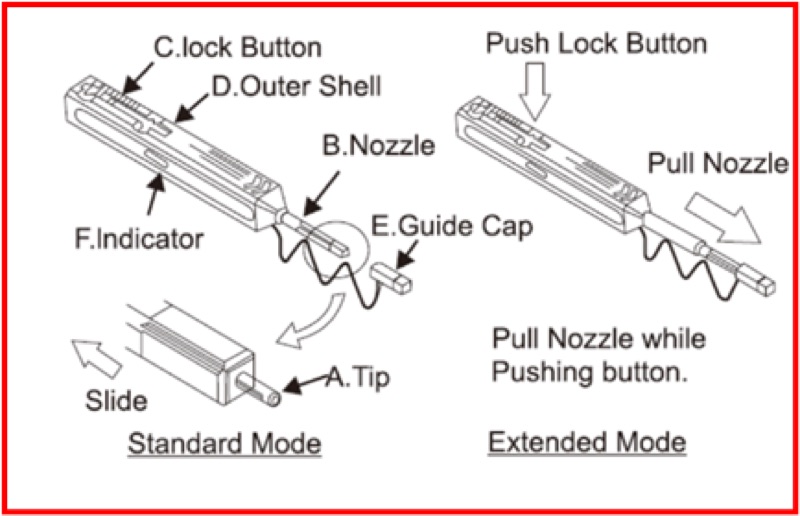
Always attempt a dry clean first. Use a one-click cleaner matched to the connector ferrule size. Push the cleaner onto the ferrule end-face until you feel the click. One push completes one cleaning cycle. A single dry clean removes 90%+ of particulate contamination.
Step 3: Re-Inspect
Inspect the end-face again. Compare against IEC 61300-3-35 pass/fail criteria (see below). If it passes, proceed to connect. If contamination remains, move to wet cleaning.
Step 4: Wet Clean (If Needed)
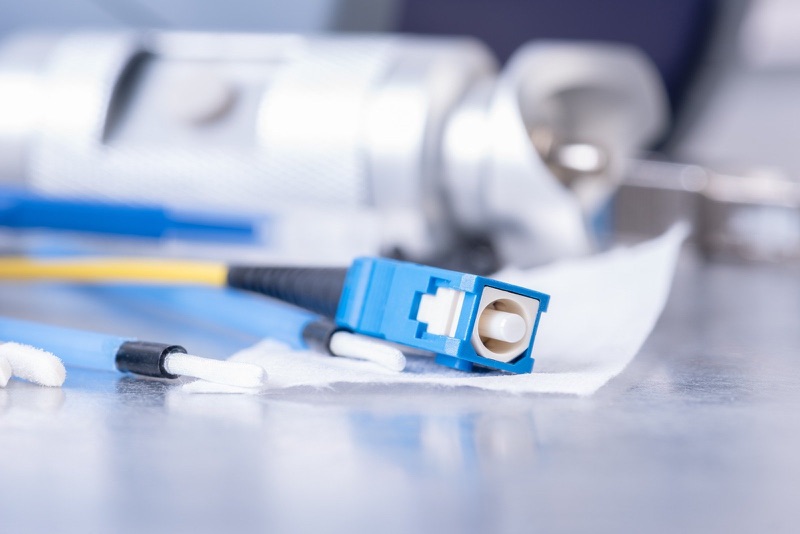
Apply a small amount of fiber-grade isopropyl alcohol (99% or higher purity) to a lint-free cleaning wipe. Gently wipe the ferrule end-face. Immediately follow with a dry clean to remove any residual solvent. Never leave solvent on the end-face -- it can leave a residue film when it evaporates.
Step 5: Final Inspection and Connect
Inspect one final time. If the end-face passes, mate the connector immediately. Do not set it down on a work surface, put a dust cap back on and remove it again, or touch the ferrule. Seconds matter -- in a dusty field environment, a clean end-face starts collecting particles immediately.
Which Cleaner for Which Connector
Connector ferrules come in two standard diameters, and MPO/MTP connectors require their own dedicated cleaner. Using the wrong size cleaner will not make contact with the entire end-face and will leave the edges uncleaned.
| Connector Type | Ferrule Size | Cleaner | Price |
|---|---|---|---|
| SC, FC, ST | 2.5mm | CLEP 2.5mm Mini or CLEP 2.5mm Long-Reach | $37.99 |
| LC, MU | 1.25mm | CLEP 1.25mm Mini or CLEP 1.25mm Long-Reach | $37.99 |
| MPO/MTP (P/T type) | Multi-fiber array | MPO/MTP Cleaner - P or T Type | $67.99 |
| MPO/MTP (R type) | Multi-fiber array | MPO/MTP Cleaner - R Type | $109.99 |
| CS (Compact Simplex) | Next-gen format | CS Connector Cleaner | $72.99 |
| Universal (SC/FC/ST/LC/MU) | 2.5mm + 1.25mm | Opti-Fiber Cleaner | $69.99 |
Mini vs Long-Reach: When to Use Each
The CLEP Mini and Long-Reach cleaners have the same internal mechanism and the same 800+ cleans per cartridge. The difference is barrel length. Use the Mini when you can reach the connector directly -- it is smaller and easier to carry. Use the Long-Reach when the connector is recessed inside an adapter panel, enclosure, or high-density patch panel where the Mini cannot physically reach the ferrule.
One-Click vs Reel Cleaners
One-click cleaners (CLEP series) use a spring-loaded mechanism that delivers consistent cleaning pressure with every click. You cannot over-press or under-press. The Opti-Fiber Cleaner ($69.99) is a reel-type cleaner that provides a fresh cleaning tape surface with each wipe and is compatible with multiple ferrule sizes. Reel cleaners are more versatile (one tool for all ferrule sizes) while one-click cleaners are faster and more consistent (dedicated ferrule size per tool).
IEC 61300-3-35 Pass/Fail Criteria
IEC 61300-3-35 is the international standard for fiber connector end-face inspection. It defines four concentric zones on the end-face and specifies what contamination or damage is acceptable in each zone.
| Zone | SM Fiber | Allowed Defects |
|---|---|---|
| Zone A (Core) | 0-25 um diameter | No defects, no contamination. Zero tolerance. |
| Zone B (Cladding) | 25-120 um diameter | No scratches > 3 um. Max 5 defects 0-3 um. |
| Zone C (Adhesive) | 120-130 um diameter | No limit on defects (transition zone). |
| Zone D (Contact) | 130-250 um diameter | No contamination that could migrate to core area. |
The critical zone is Zone A -- the core area. Any particle, scratch, or contamination in this zone is an automatic fail. The QBL WiFi Fiber Inspection Microscope provides automated pass/fail analysis against these criteria, removing guesswork from the inspection process.
Common Cleaning Mistakes
- Skipping inspection: Cleaning without inspecting first means you do not know what you are dealing with. An oil film requires wet cleaning; dry cleaning alone will smear it.
- Touching the ferrule: Handling the ferrule tip transfers oil from your skin directly onto the end-face. Always hold connectors by the housing, never by the ferrule.
- Using canned air: Canned air propellants can deposit a chemical film on the end-face. Use only fiber-grade cleaning tools, not compressed gas dusters.
- Reusing cleaning surfaces: One-click cleaners advance to a fresh surface automatically. If using wipes, use a fresh section for each wipe. Never re-wipe with a used area.
- Connecting without final inspection: You cleaned it, but did the clean actually work? Always inspect after cleaning and before mating. This is the verification step that catches the 10% of cases where a single dry clean was not enough.
- Setting down clean connectors: A clean connector that sits on a work surface for 30 seconds is no longer clean. Clean, inspect, connect -- in that order, without delay.
Building Your Cleaning Kit
A complete field cleaning setup covers all connector types you encounter and includes inspection capability. Here is what to carry.
FTTH / PON Work
SC/APC and LC connectors are standard.
CLEP 2.5mm Mini (for SC) + CLEP 1.25mm Mini (for LC) + WiFi Microscope
Data Center
LC and MPO connectors dominate, often in high-density panels.
CLEP 1.25mm Long-Reach + MPO Cleaner + Opti-Fiber Cleaner + WiFi Microscope
Pre-Built Kit
The Fiber Cleaning Kit ($99.99) includes multiple cleaning tools for common connector types plus cleaning wipes and inspection supplies. A ready-to-go option for techs building their first cleaning setup.
The Bottom Line
Fiber optic cleaning is not optional, and it is not something you do when there is a problem. It is something you do on every connector, every time, before every connection. The inspect-before-you-connect protocol catches contamination before it causes signal degradation or permanent ferrule damage.
Carry the right cleaner for your connector types, carry an inspection microscope, and follow the protocol. The $37.99 you spend on a CLEP cleaner prevents troubleshooting calls that cost hundreds of dollars in truck rolls and lost time.