AEM FiBLU Singlemode Fiber Certifier Kit, Bluetooth
FIBLU-SM-K01
You need one phone or tablet per handset, so two for this kit.
A pair of handheld singlemode fiber certifiers you run from a phone. Tier 1 loss and length at 1310 and 1550 nm, with PDF reports from the UniBLU app.
On card orders over $2,500, your bank may ask you to confirm the payment at checkout. With an invoice, you pay by ACH or wire before we place your order.
Or call (615) 905-6018, Monday to Friday, 9 to 5 Central, or have us call you. We'll call you within one business day.
How returns work on AEM Networks items
You can return an AEM Networks item only if AEM agrees to take it back. If it arrives defective, damaged or not as described, we'll arrange the return with AEM at no cost to you. Please email us before you send anything back.
Key specs
- Tier 1 (OLTS) certification to TIA-568 and ISO/IEC 14763-3
- Singlemode: laser source at 1310 and 1550 nm; length up to 20 km
- Insertion loss accuracy: 0.2 dB or better
- Interchangeable port interfaces: SC (transmit) and SC and LC (receive) included; ST sold separately (FI-ST-TX, FI-ST-RX)
- Built-in 650 nm visual fault locator
- Handset: 177 x 92 x 42 mm (7.0 x 3.6 x 1.7 in), 350 g (12.3 oz)
- Bluetooth to the UniBLU app (iOS 15.5+, Android 11+); PDF and CSV reports
- Safety and EMC: IEC 61010-1, EN 61326-1
About the AEM FiBLU Singlemode Fiber Certifier Kit, Bluetooth
FiBLU is AEM's app-based fiber certifier. This kit is a pair of singlemode handsets that you run from AEM's UniBLU app over Bluetooth. Together they certify a singlemode link to Tier 1: loss and length at 1310 and 1550 nm, tested from both ends. The app shows pass or fail with margin, saves each result, and exports PDF or CSV reports with your company logo.
You need one phone or tablet per handset, so two for a pair, running AEM's UniBLU app (iOS 15.5 or later, Android 11 or later). Testing works offline; you only need internet for cloud sync and firmware updates. Results can sync through Google Drive or Microsoft OneDrive, and you can export a project to TestDataPro to put it in one report with TestPro or NSA copper results.
The kit is for installers who certify singlemode backbone and campus fiber. For multimode, see the FiBLU multimode kit (FIBLU-MM-K01). For both, see the quad kit (FIBLU-QD-K01). Additional test reference cords are sold separately. AEM keeps a current list of the cable manufacturers that accept FiBLU for their warranty programs. Check the list for your cabling brand before you buy.
What's in the box
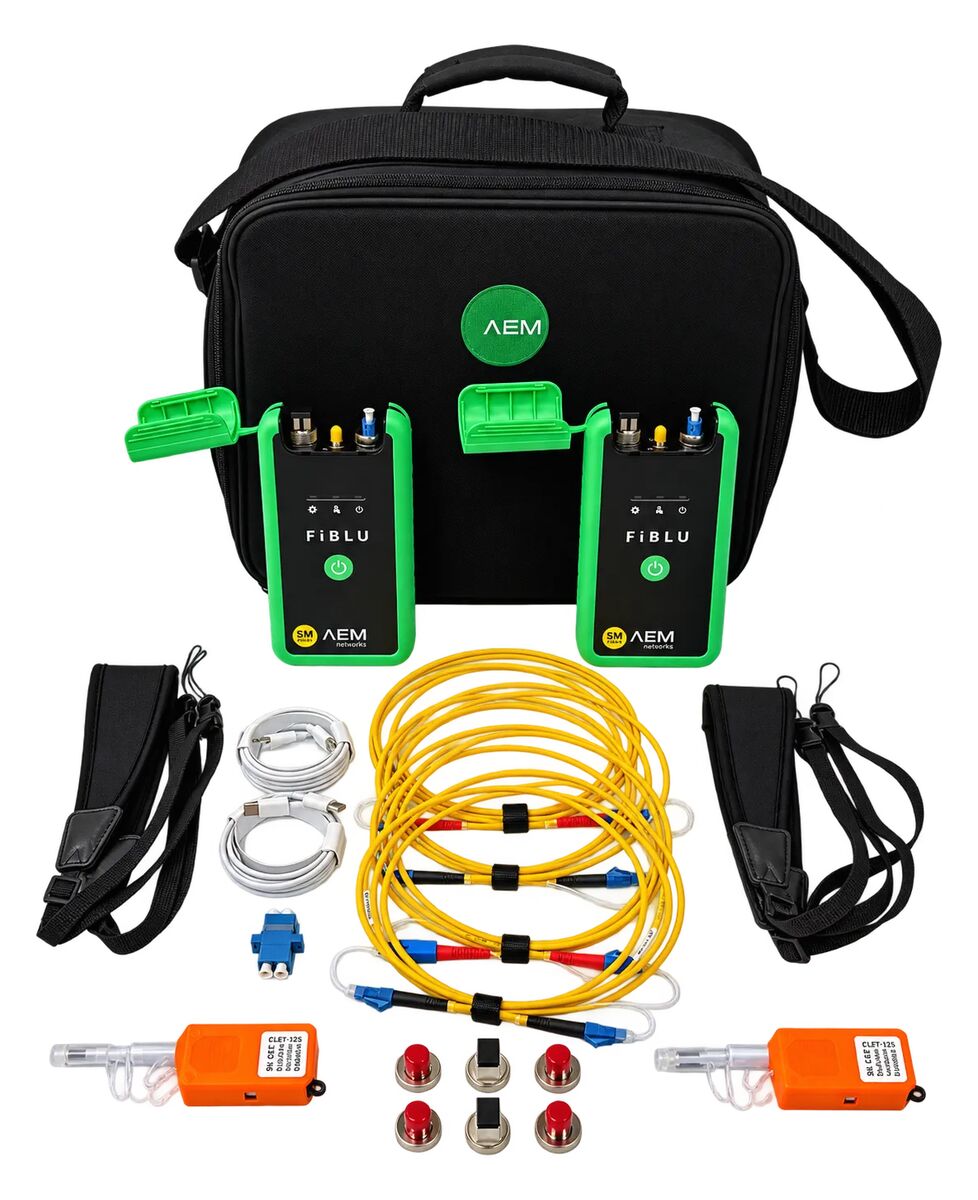
- 2 FiBLU singlemode handsets with built-in USB-C rechargeable batteries
- 2 USB-C cables (AC chargers not included)
- SC transmit interface and SC and LC receive interfaces
- 2 SC-LC and 2 LC-LC singlemode test reference cords
- 1 duplex LC coupler
- 2 hanging straps
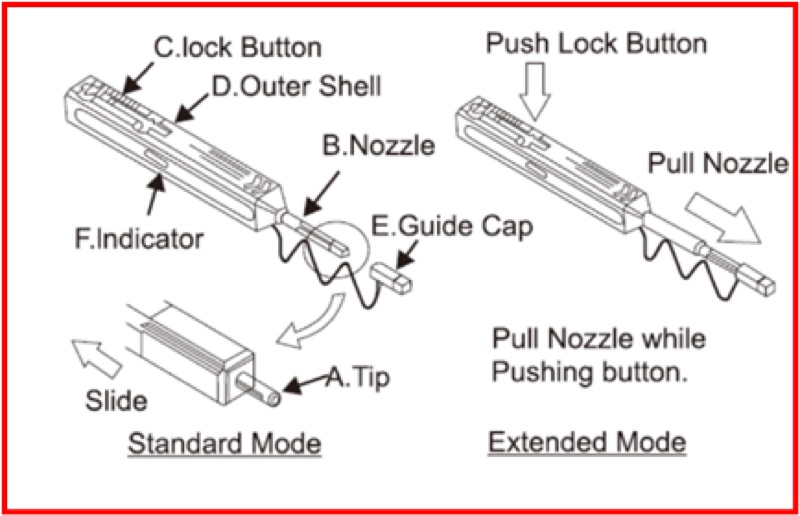
- 2 one-click cleaners (1 LC, 1 SC)
- Soft carry case
Questions buyers ask
Does the FiBLU singlemode kit need a phone?
Yes. You run each FiBLU handset from AEM's UniBLU app over Bluetooth. You need one phone or tablet per handset, so two for a pair. The app runs on iOS 15.5 or later and Android 11 or later. Testing works offline; you only need internet for cloud sync and firmware updates.
Is the FiBLU singlemode kit a Tier 1 fiber certifier?
Yes. The two FiBLU singlemode handsets certify a singlemode link to Tier 1, also called OLTS. They test loss and length at 1310 and 1550 nm from both ends, on links up to 20 km. They use TIA-568 and ISO/IEC 14763-3 limits.
What comes in the FiBLU singlemode kit?
You get two FiBLU singlemode handsets with built-in USB-C rechargeable batteries and two USB-C cables. AC chargers are not included. You get SC transmit and SC and LC receive interfaces, two SC-LC and two LC-LC singlemode reference cords and a duplex LC coupler. You also get two hanging straps, two one-click cleaners and a soft carry case.
What is the difference between the FiBLU singlemode kit and the TestPro K11E?
Both certify fiber to Tier 1. You run FiBLU handsets from a phone or tablet with AEM's UniBLU app. The TestPro K11E uses TestPro handsets with their own touch screens. The TestPro takes the full range of TestPro adapters, so you can add OTDR adapters later.
Will a cable manufacturer accept a FiBLU test report for a warranty?
AEM keeps a current list of the cable manufacturers that accept FiBLU for their warranty programs. It also lists manufacturers whose fiber testing requirements FiBLU meets. AEM updates the list, so check it for your cabling brand before you buy. AEM's FiBLU warranty approvals flyer is in the documents on this page. The UniBLU app exports PDF or CSV reports with your company logo.
Documents
5 files from AEM Networks: data sheets, guides and manuals. PDF, opens in a new tab.
Videos
13 videos from AEM Networks. Nothing plays until you press play.